A safety gap at Gold Coast beaches
Gold Coast beaches attract large numbers of locals and tourists each year, yet incidents — especially those involving rip currents — remain common, particularly among visitors and infrequent beachgoers.
Although safety information exists, it is fragmented across signage, websites, surf apps and lifeguards, making it difficult to access clear, timely guidance for safe decision-making.
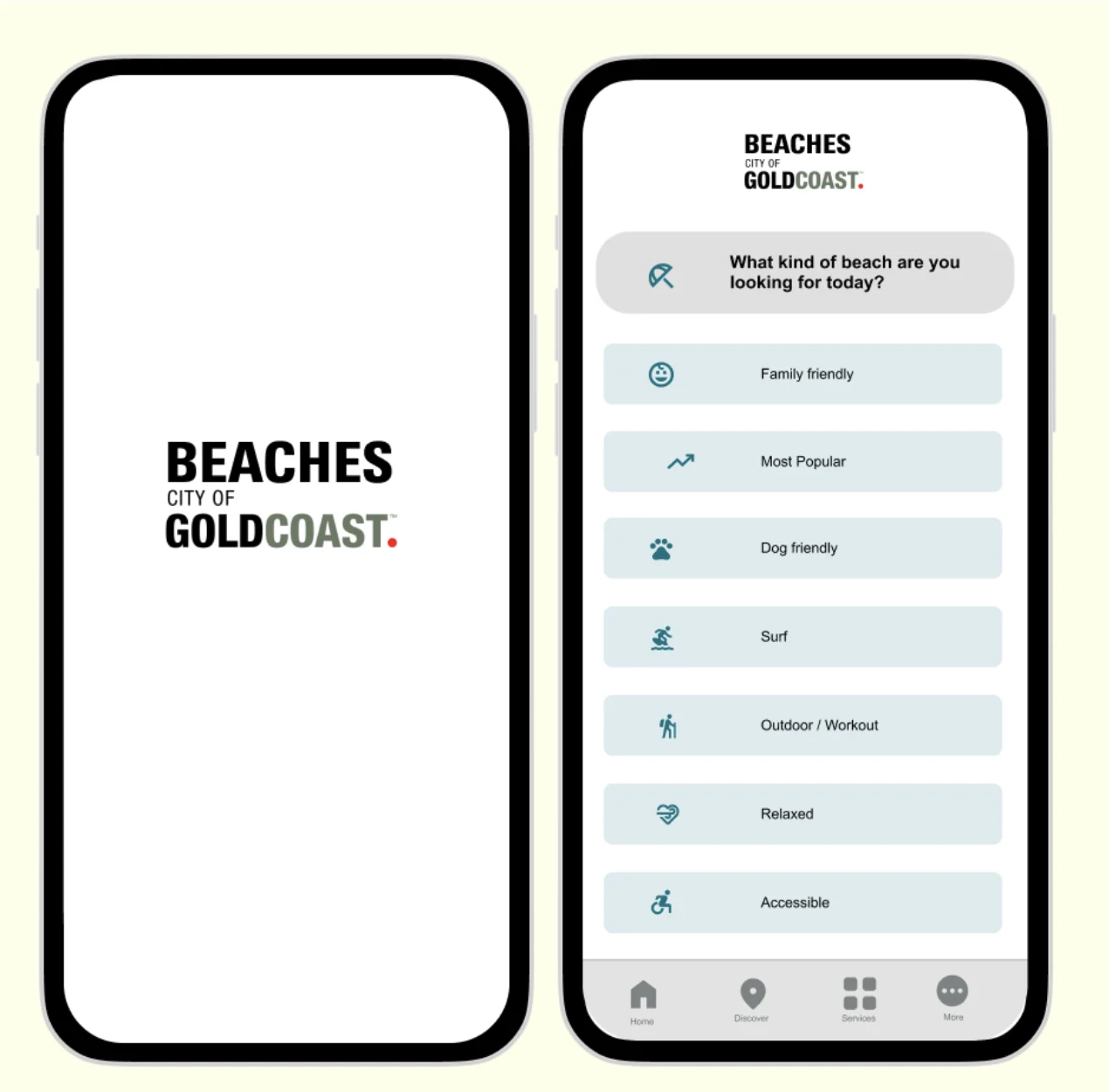
Choose the right beach. Enjoy it safely.
To provide a single, reliable platform where users can easily access clear, up-to-date information about Gold Coast beaches — safety conditions, facilities, accessibility features and nearby amenities — so they can choose the right beach and enjoy it safely and confidently.
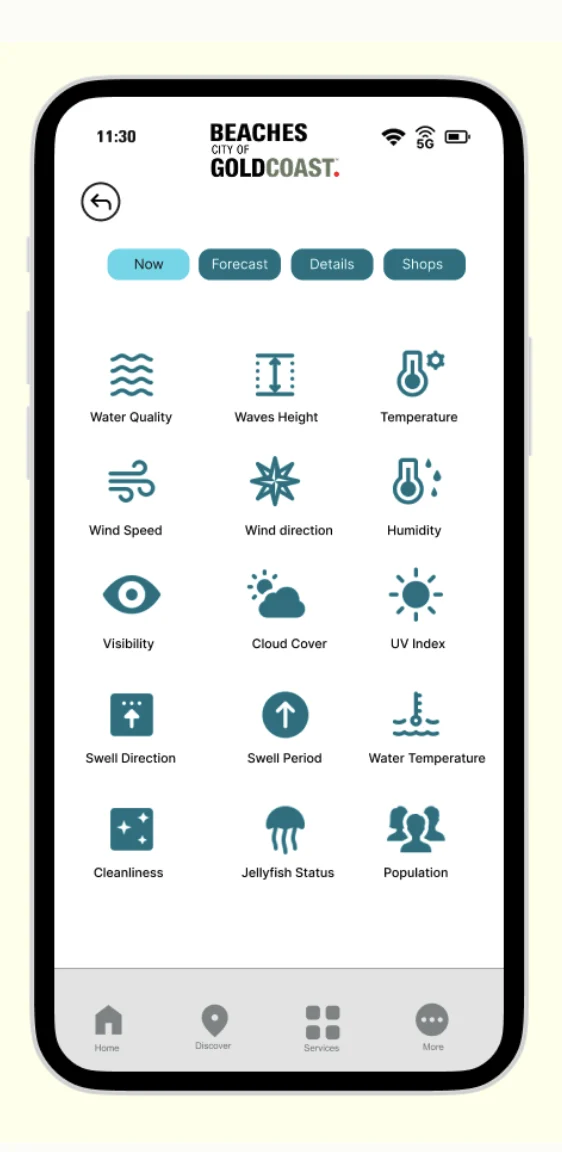
Everything you need, in one place
The app helps people easily find the right beach on the Gold Coast by providing clear, up-to-date information in one place. Users can quickly check:
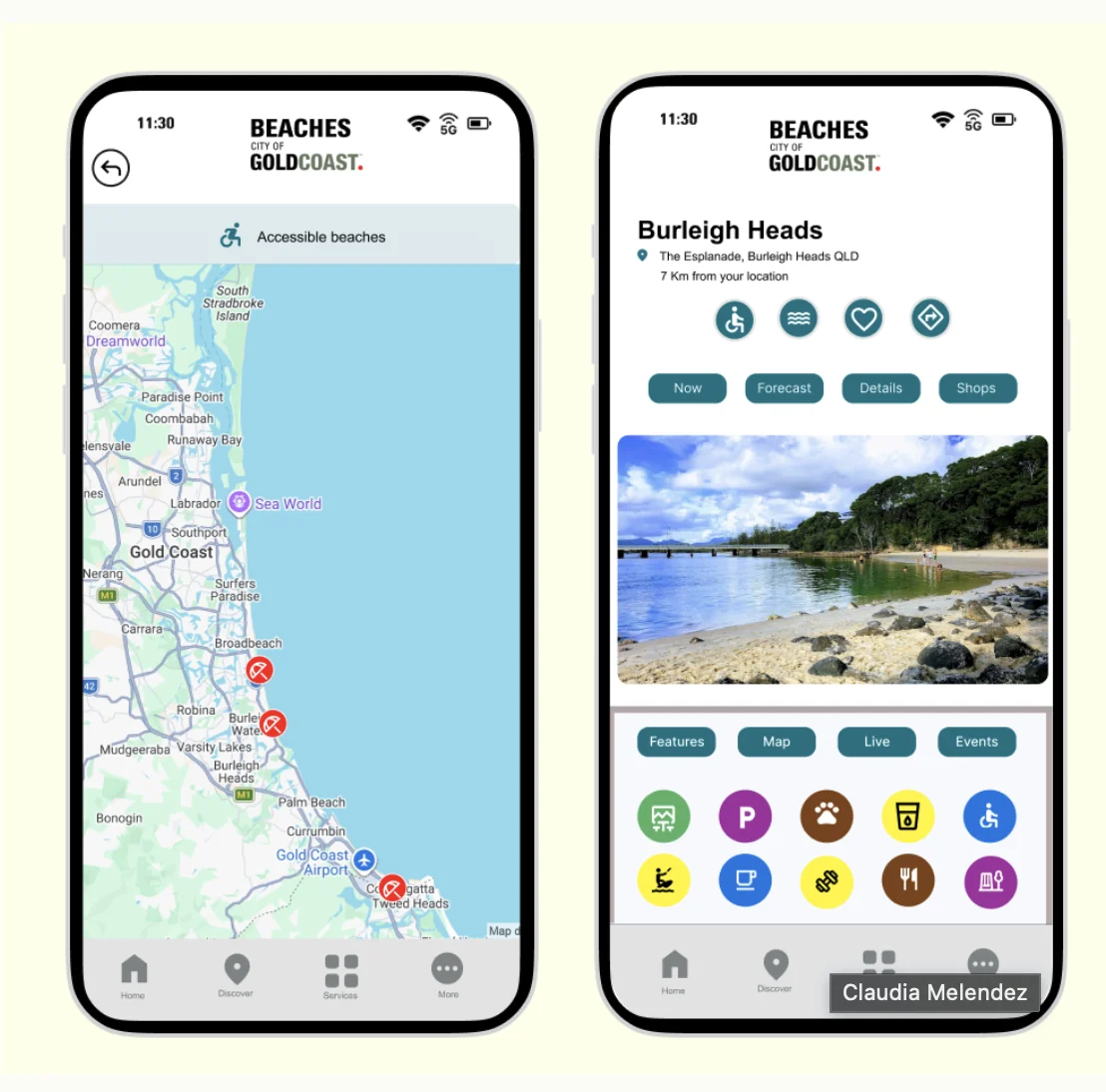
Beach location and how far it is from you.
Hazards and lifeguard availability.
Weather, tides, surf and water conditions.
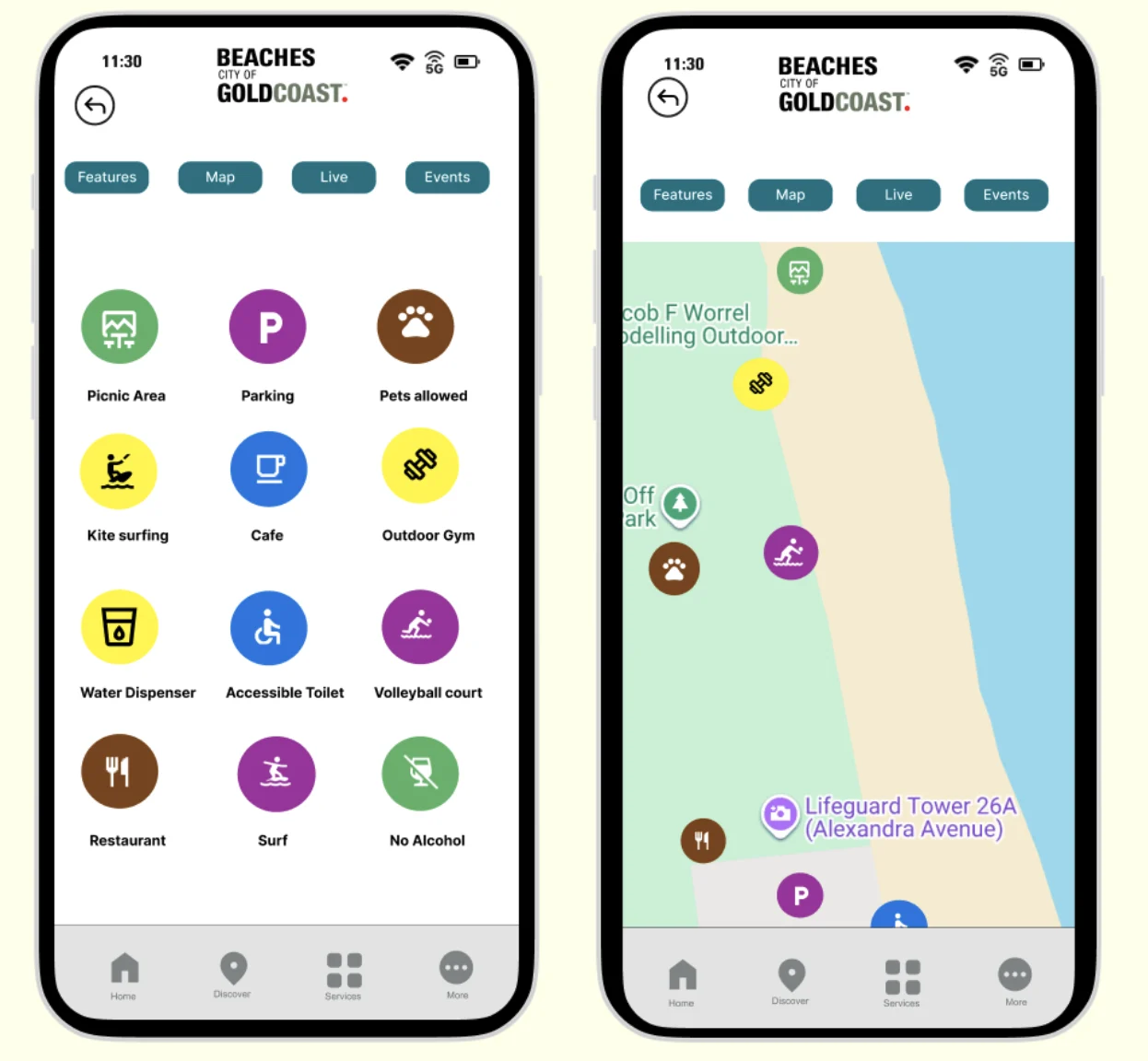
Toilets, drinking water, playgrounds and baby change areas.
Ramps, accessible toilets and paths.
Photos, plus nearby cafés, restaurants and local businesses.
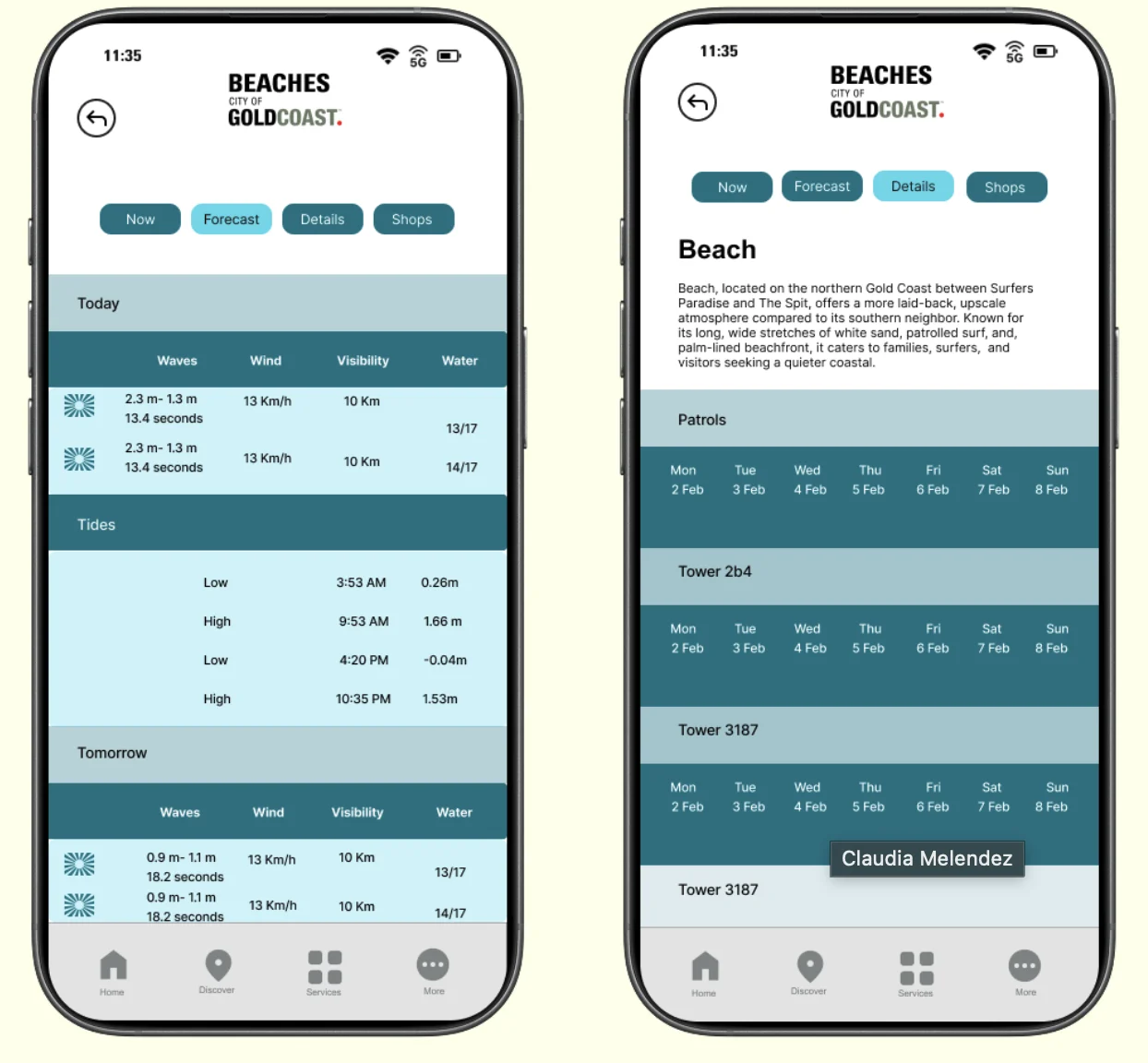
Five kinds of beachgoer
Easily explore Gold Coast beaches with a map showing locations, distances, safety conditions and nearby places to eat or visit — so they can choose the best beach with confidence.
Quickly find safe, family-friendly beaches with playgrounds, toilets, baby change facilities, drinking water and clear information about risks and hazards.
Check tides, forecasts, water conditions, lifeguard coverage and surf-related hazards before heading out — all in one place.
Find beaches with safe walking paths, nearby toilets, drinking water stations and low-risk environments for relaxed walks.
Easily identify beaches with accessible paths, ramps, toilets and nearby amenities — removing uncertainty before you arrive.
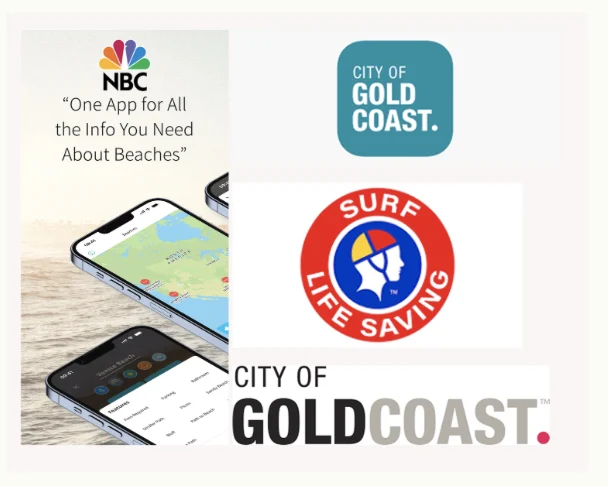
From scattered info to one app
After careful investigation, we gathered apps and sites holding fragmented beach information that we could bring together in our design.
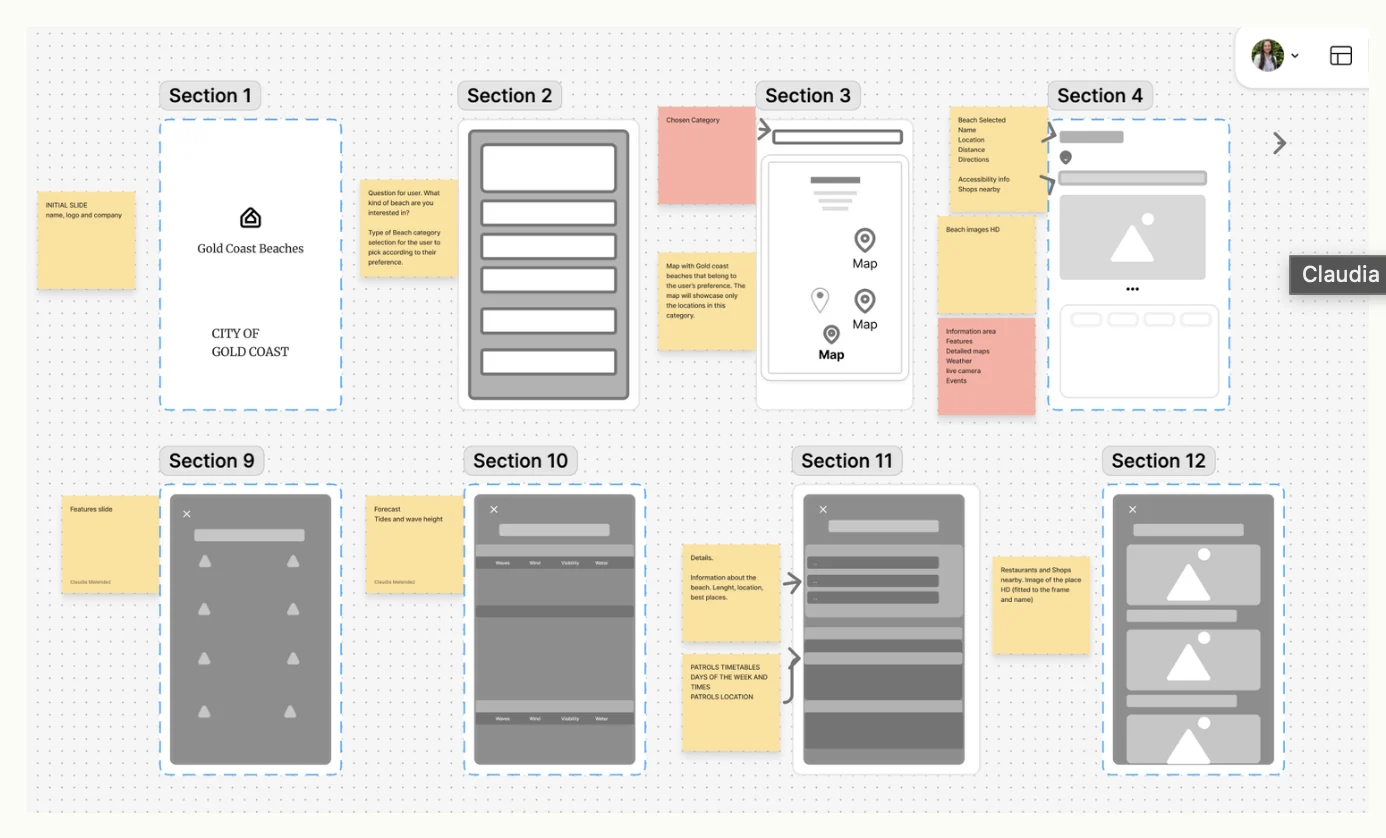
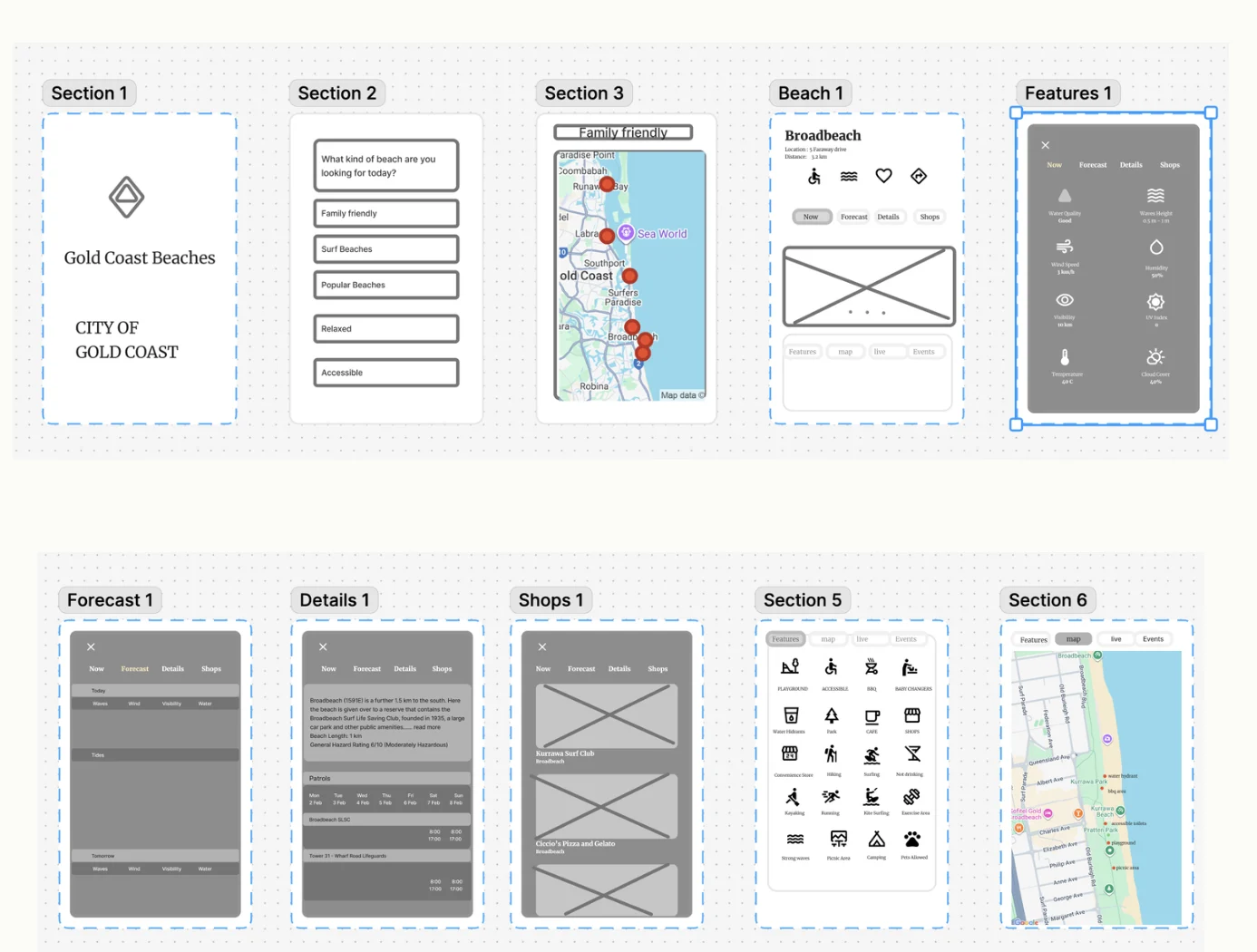
Users needed an anchor point
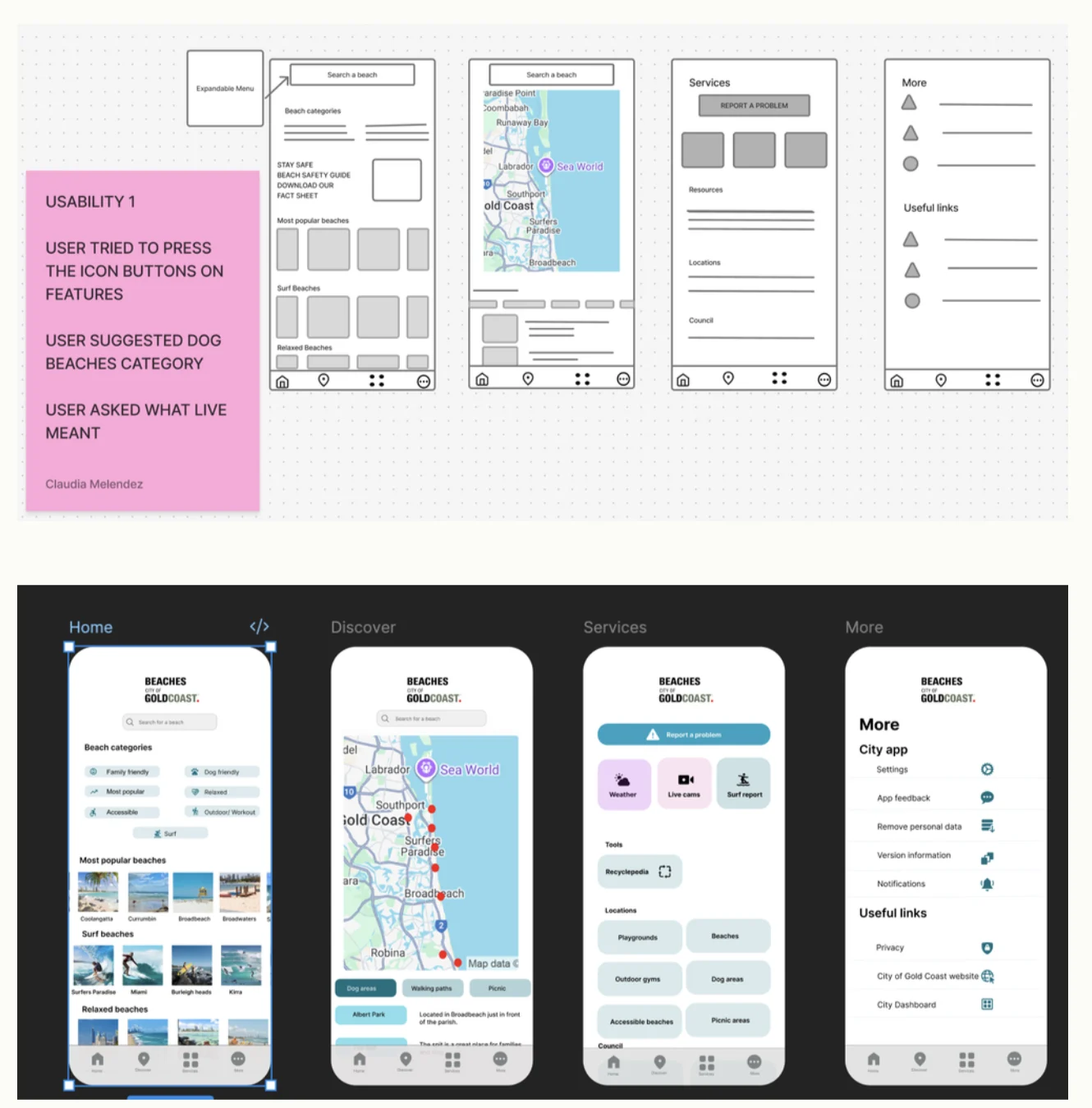
After completing the mockup and testing it with different users, we added the Home, Discover, Services and More pages. Users needed an anchor point that provided centralised information.
Users tried to press the icon buttons on Features.
A user suggested a dog-friendly beaches category.
A user asked what “Live” meant.
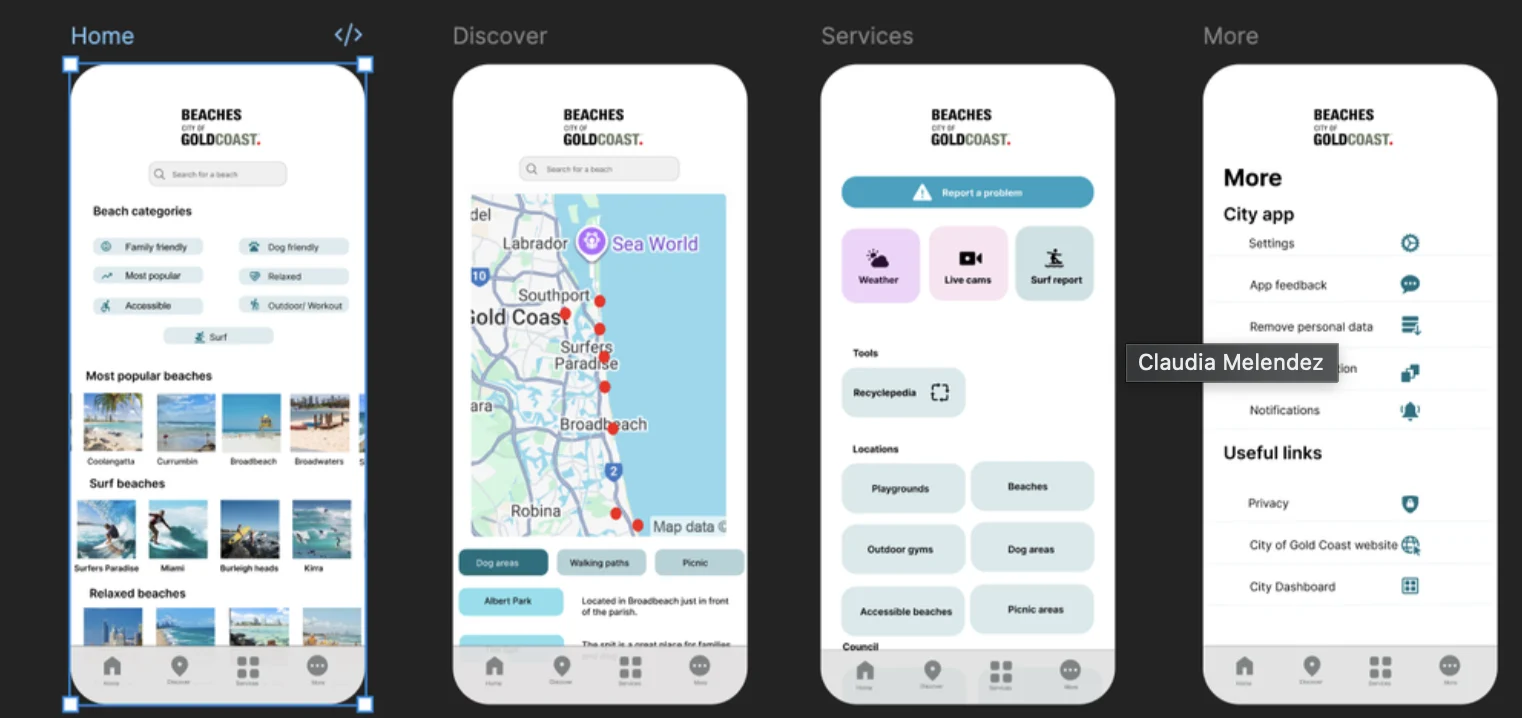
The final screens
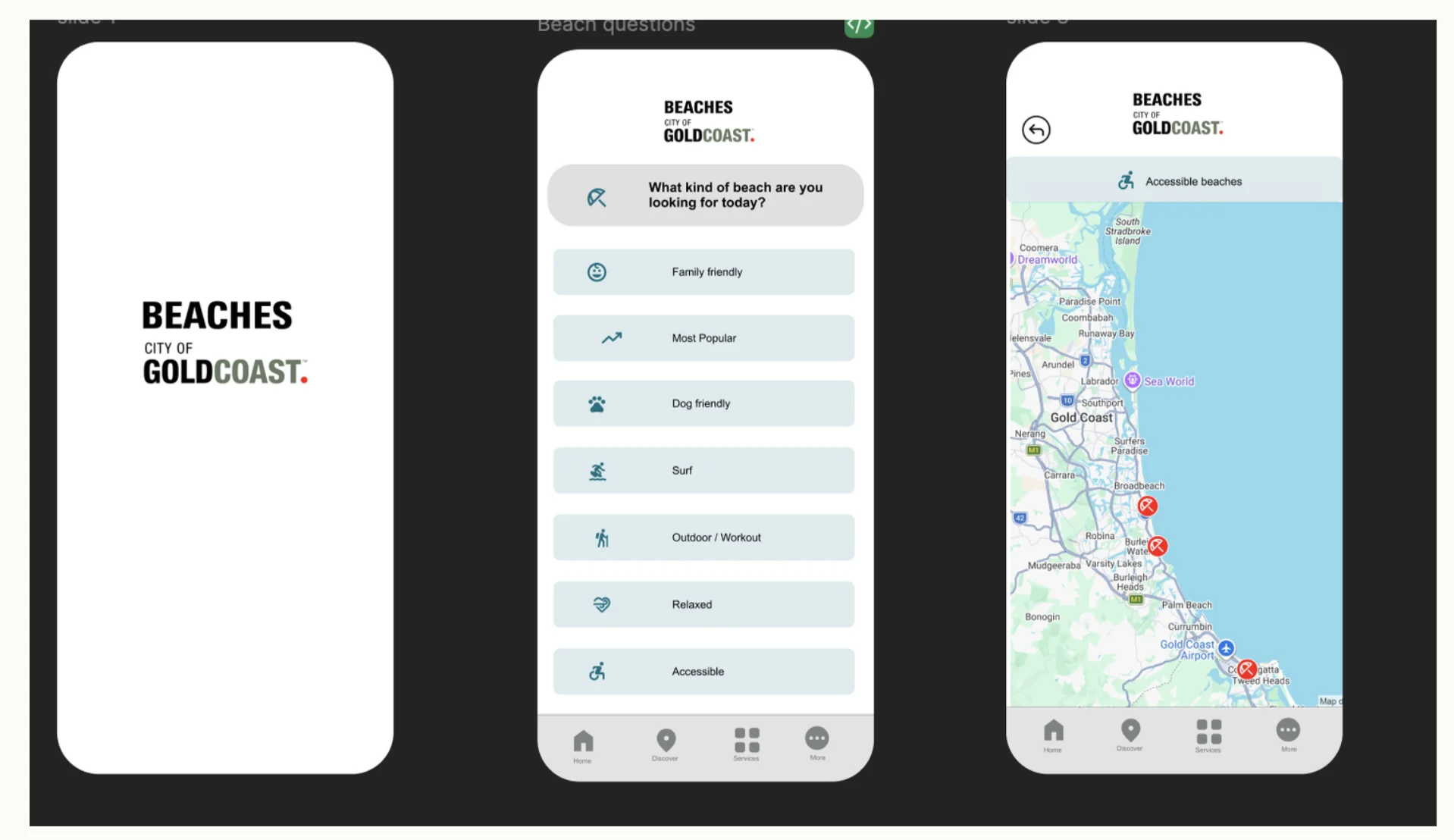
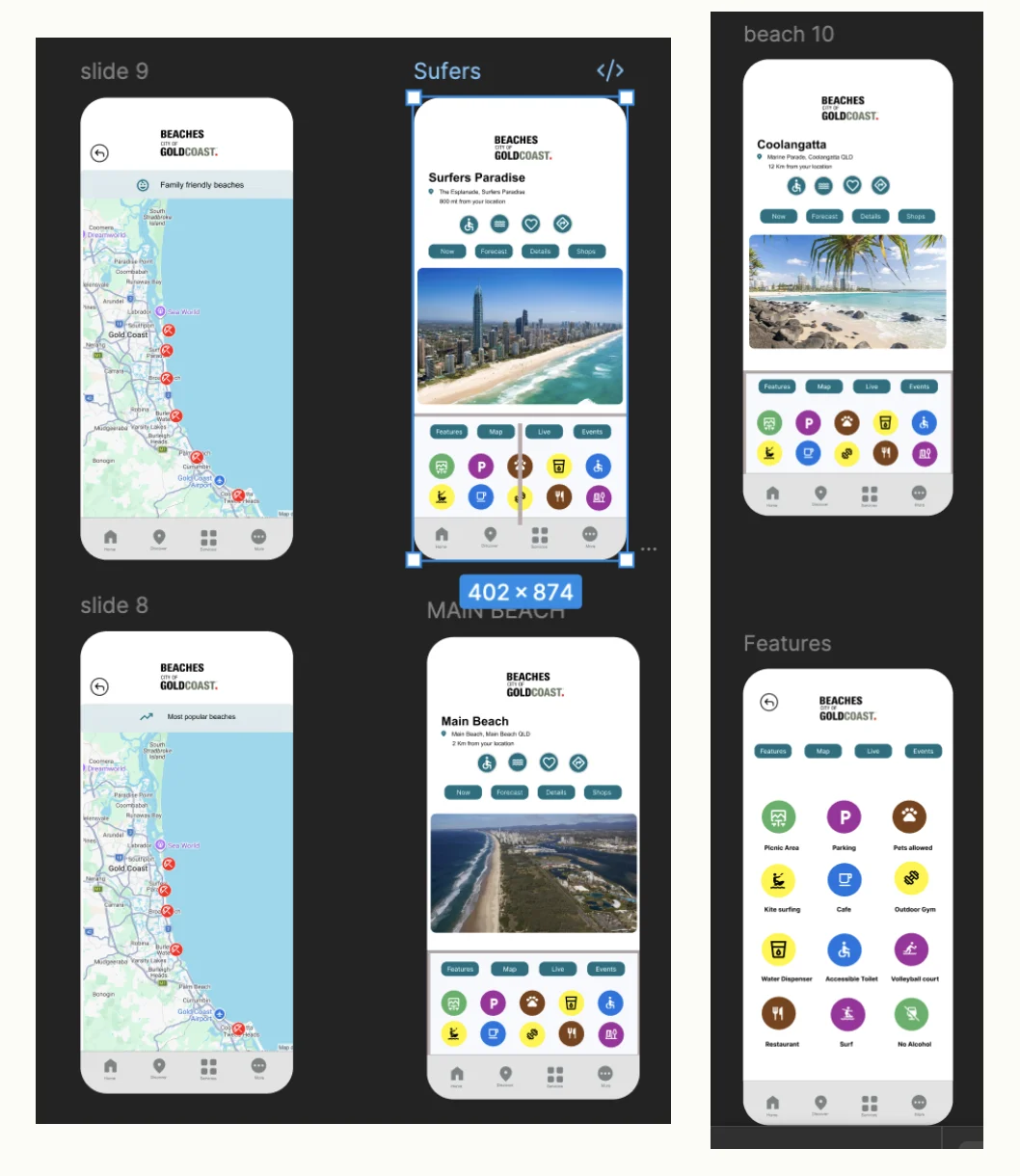
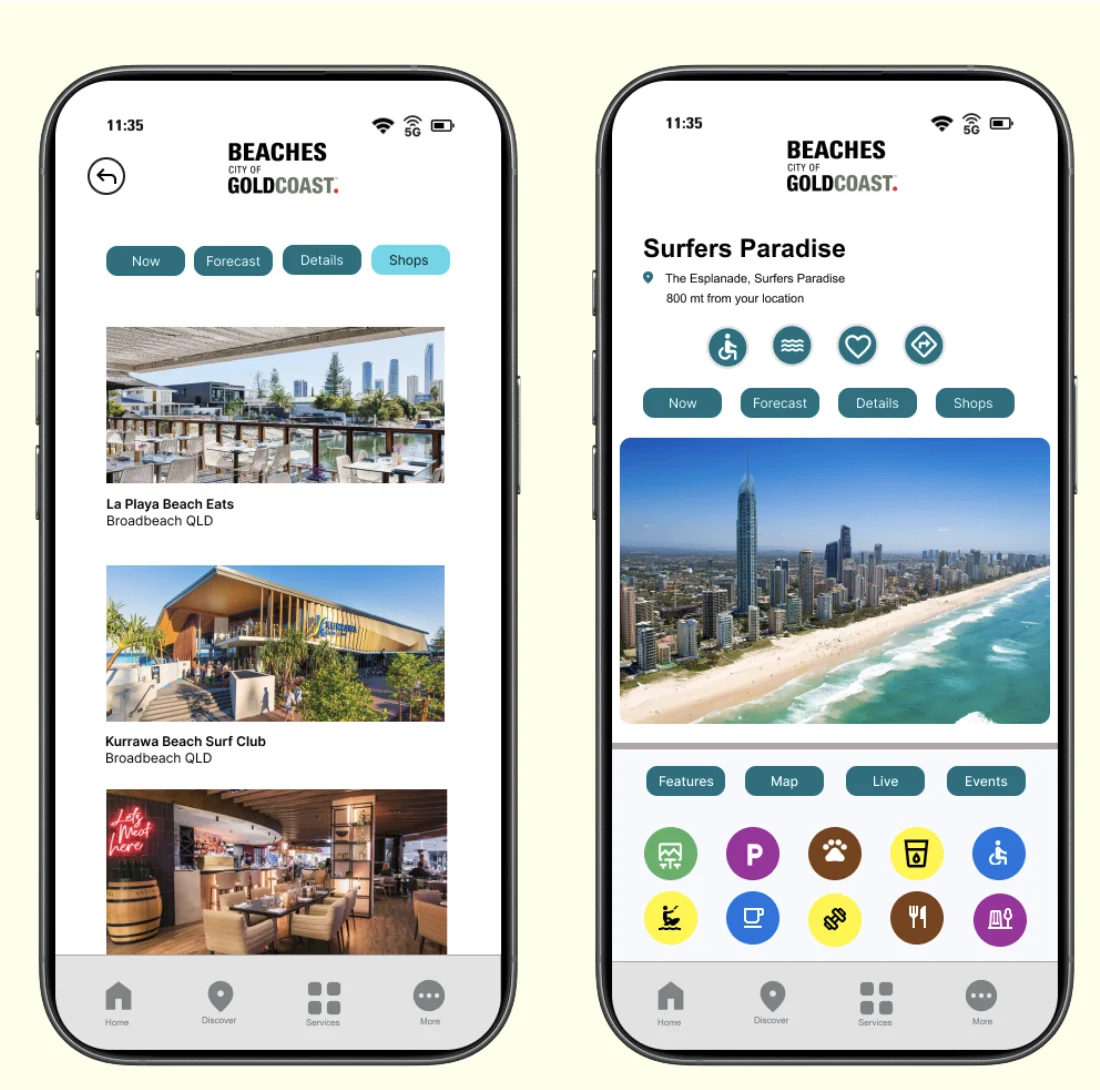
Each beach page follows the same structure — location, quick actions, conditions tabs, photo, then features, map, live and events — so users learn it once and use it anywhere.
Same brand, after dark
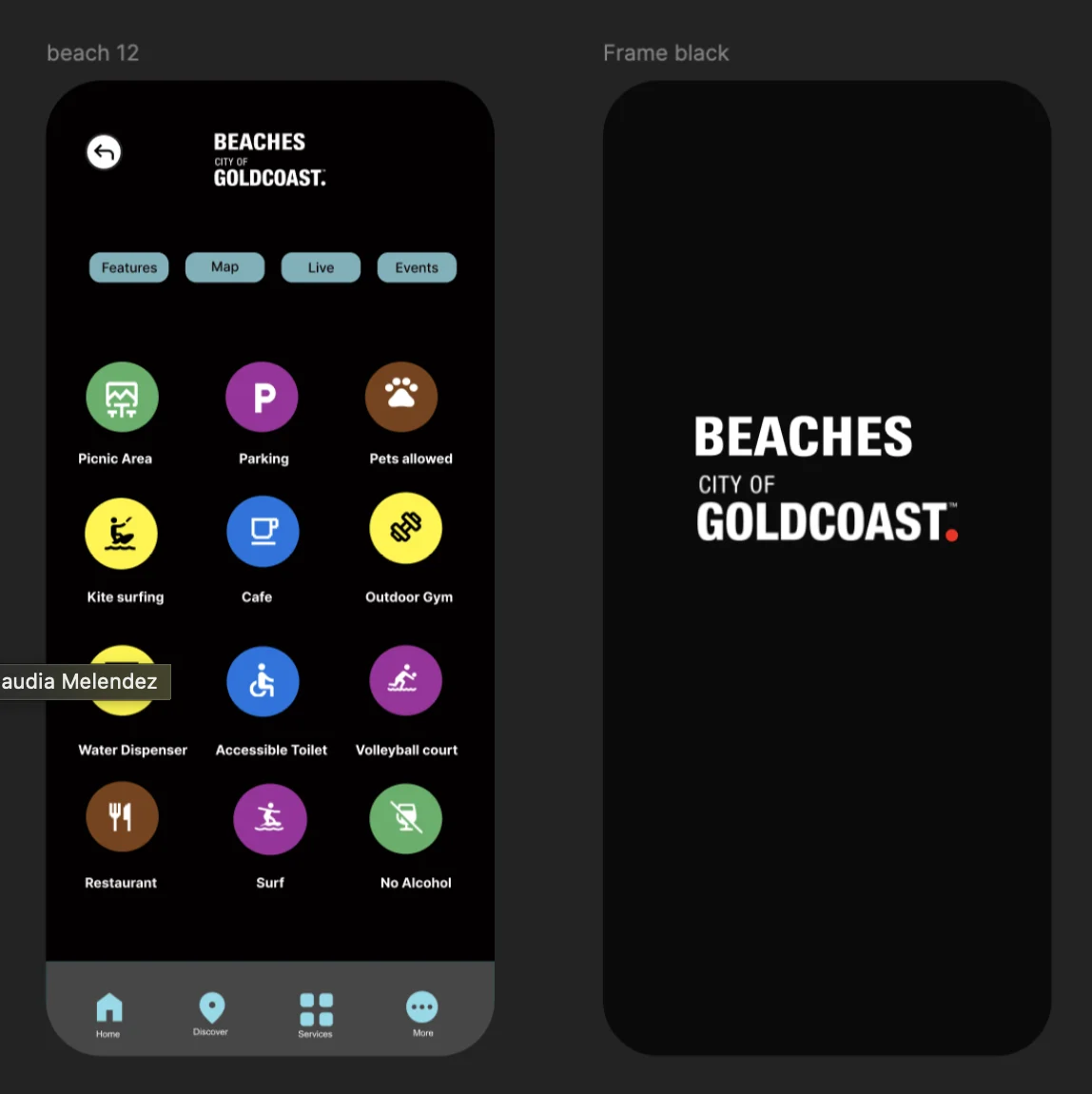
Finally, I created a dark mode version of the app while keeping the branding.
Built to scale
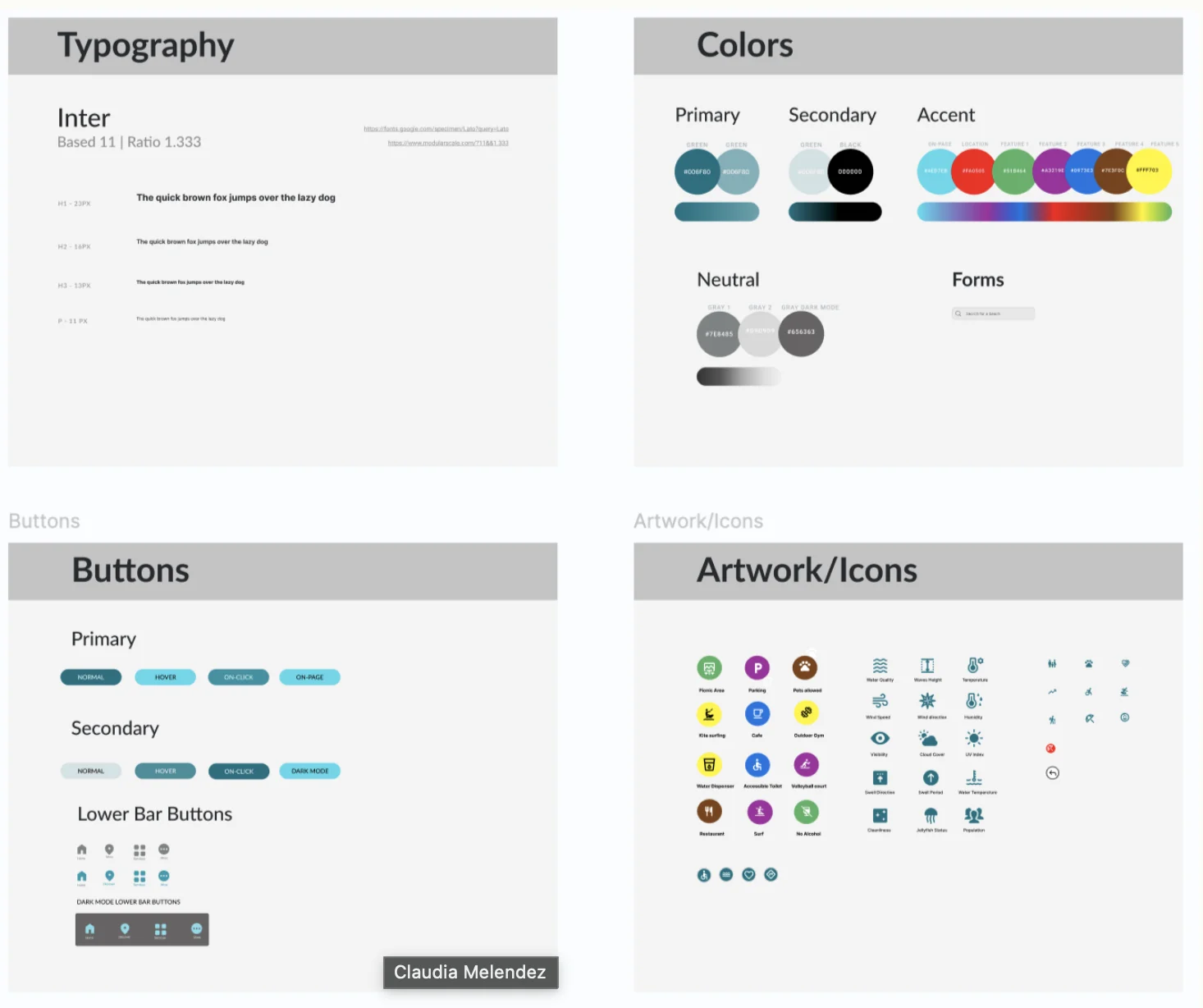
Each feature category has its own colour, so facilities are recognisable at a glance on lists and maps.
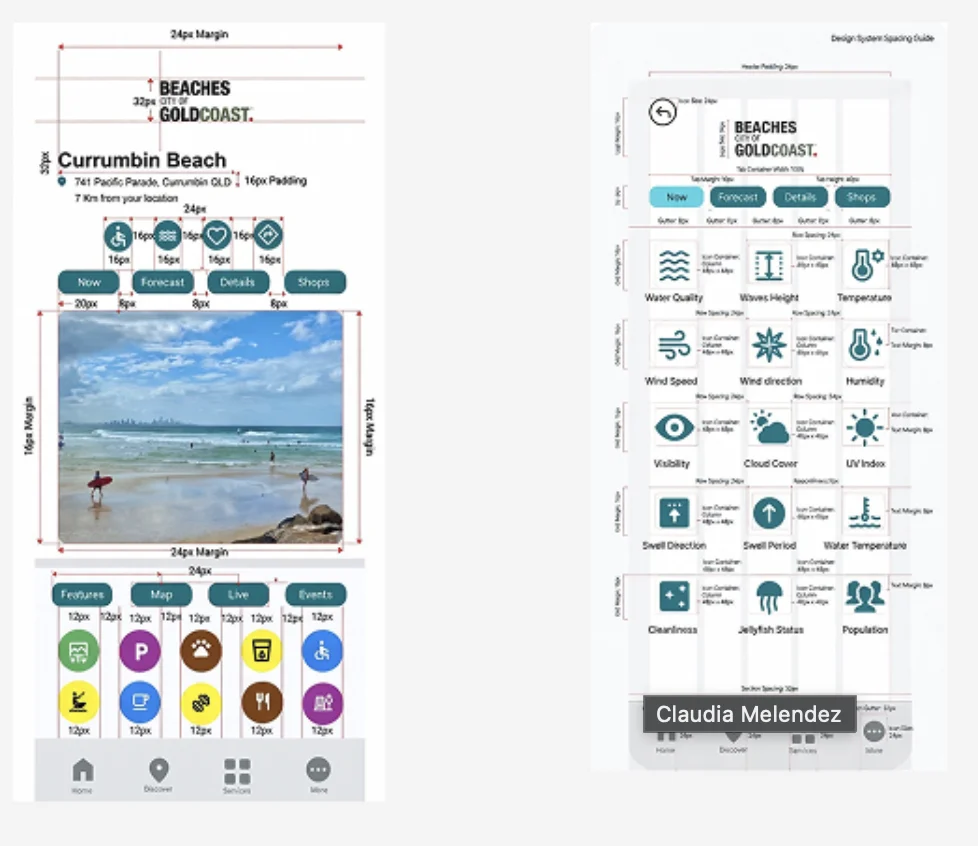
A consistent rhythm